
Hohem iSteady M6 Kit Smartphone Gimbal Review: Is It Worth It?
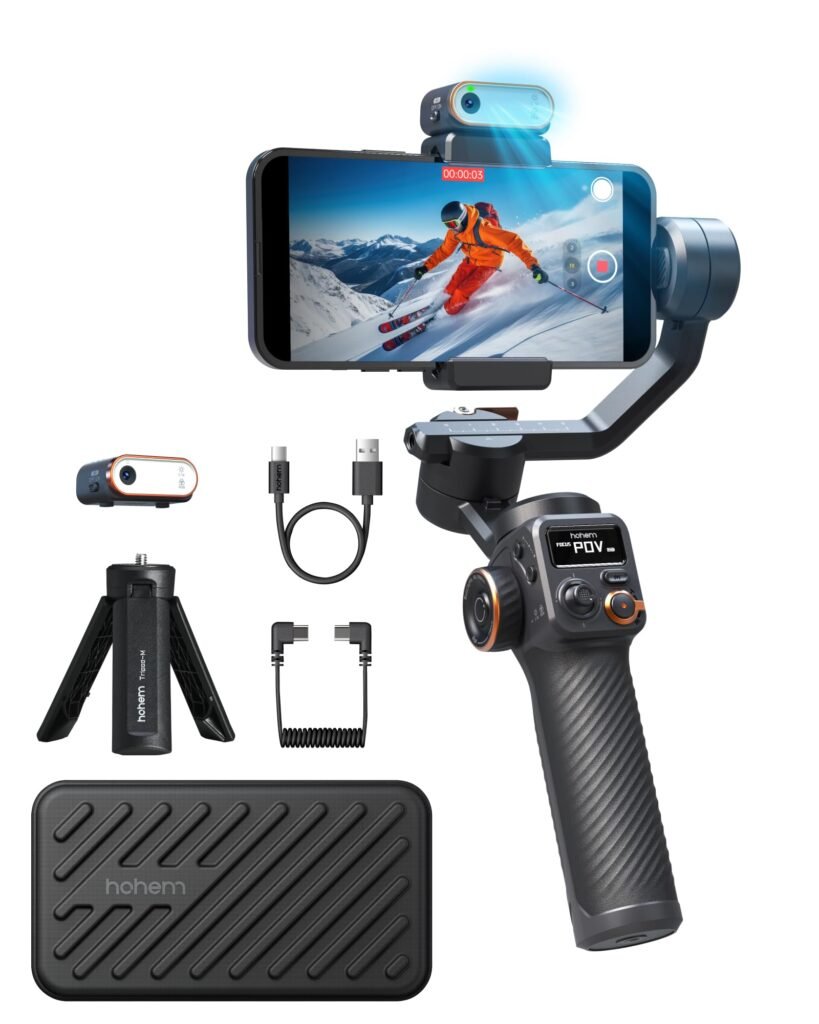
Hohem iSteady M6 Kit Smartphone Gimbal Review
If your smartphone can already record sharp 4K video, why do your videos still sometimes look amateur? The answer is often movement. Walking shots can shake, pans can feel uneven, and filming yourself becomes difficult when you are the person holding the phone.
The Hohem iSteady M6 Kit Smartphone Gimbal is designed to solve several of those problems at once. It combines a 3-axis smartphone gimbal with a magnetic AI Vision Sensor, adjustable fill light, OLED display, multiple shooting modes, and a large 400g payload.
The standout feature is the detachable AI tracking sensor. Unlike many app-dependent tracking systems, Hohem says the M6’s AI Vision Sensor can track subjects without requiring Bluetooth or the Hohem Joy app. It can also work with the phone’s native camera and other mobile apps.
But impressive specifications do not automatically make a gimbal the right purchase.
The M6 weighs 551g, which is considerably heavier than simply holding a smartphone. Its advertised 18-hour battery life drops to approximately 6–8 hours when AI tracking and the fill light are used at maximum settings. And while independent reviews have generally praised its stabilization and feature set, some testers have reported limitations with tracking or the companion app.
So, is the Hohem iSteady M6 Kit Smartphone Gimbal worth buying for vlogging, TikTok, YouTube, travel videos, product demonstrations, and everyday smartphone filmmaking?
Let’s break down the features, performance, limitations, compatibility, and value.
Quick Verdict: The Hohem iSteady M6 Kit is a feature-rich smartphone gimbal particularly well suited to solo creators who want AI tracking, smooth motorized stabilization, an integrated fill light, and broad camera-app compatibility. Its main drawbacks are its relatively heavy body, learning curve, and the fact that some advanced features work differently depending on your phone and app.
Quick Summary
| Feature | Hohem iSteady M6 Kit |
|---|---|
| Gimbal type | 3-axis smartphone gimbal |
| Weight | 551g |
| Maximum payload | 400g |
| Phone width | 58–98mm |
| Phone thickness | 6.9–11mm |
| Pan range | 360° infinite |
| Tilt range | 335° |
| Roll range | 335° |
| Display | 0.91-inch OLED |
| Battery | 2600mAh |
| Claimed runtime | Up to 18 hours |
| AI tracking | Magnetic AI Vision Sensor |
| Fill light | CCT + RGB |
| Charging | USB-C |
| App | Hohem Joy |
| Bluetooth | Bluetooth 5.1 |
Specifications are based primarily on Hohem’s current product information.
Important Review Note: This review evaluates the manufacturer’s specifications alongside published independent testing and reviews. It does not claim that the author personally tested every function of the device.
What Is the Hohem iSteady M6 Kit?
The Hohem iSteady M6 Kit Smartphone Gimbal is a motorized 3-axis stabilizer designed specifically for smartphones.
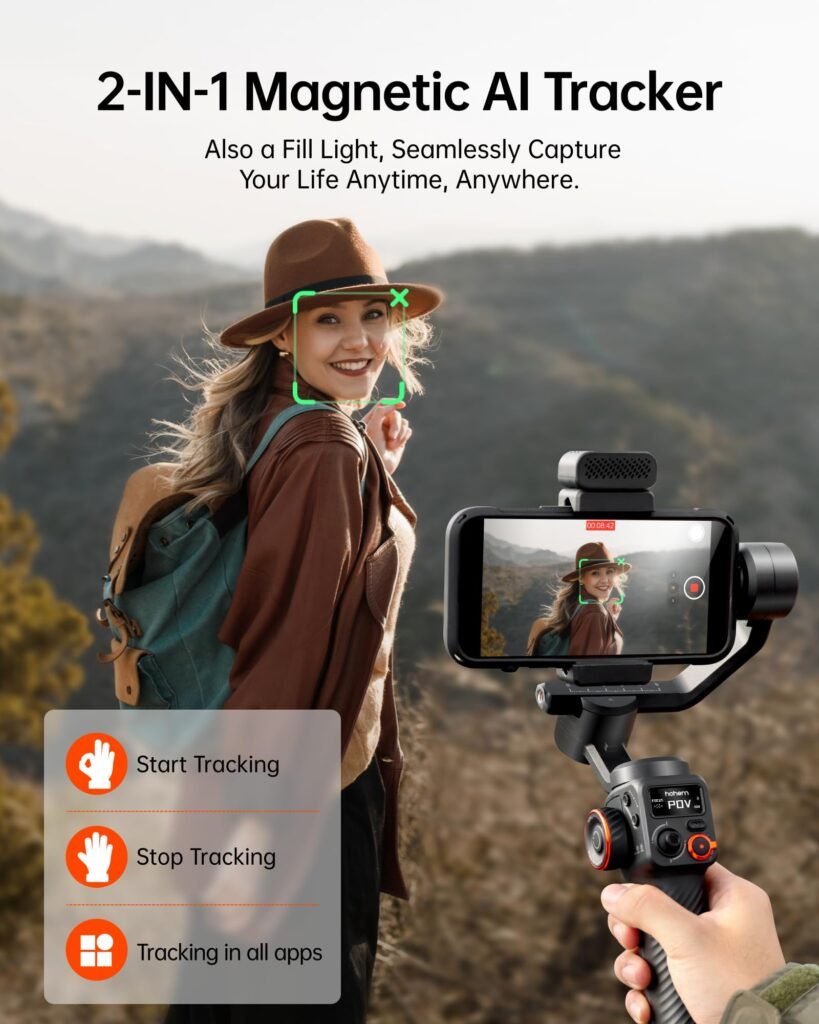
A traditional phone holder keeps your smartphone physically attached to a handle, but it does not actively compensate for every movement. A motorized gimbal uses electronically controlled motors to counter unwanted rotation and keep the phone oriented more smoothly.
The M6 goes further by adding an AI Vision Sensor.
The sensor attaches magnetically and combines subject tracking with a fill light. Hohem designed it to recognize and follow people or objects while the gimbal physically moves to keep the subject in the frame.
That makes it especially interesting for solo creators.
Imagine filming a cooking tutorial. Instead of standing behind the camera and manually adjusting the phone, you can position yourself in front of the phone and let the gimbal follow your movement.
The same concept works for:
- YouTube videos
- TikTok videos
- Instagram Reels
- Fitness demonstrations
- Cooking tutorials
- Product demonstrations
- Travel vlogs
- Online teaching
- Interviews
- Live-streaming
- Walking tours
The M6 is therefore more than a basic stabilizer. It is designed as a compact mobile filmmaking system.
Key Features of the Hohem iSteady M6
1. Magnetic AI Vision Sensor
The magnetic AI Vision Sensor is arguably the most interesting feature of the M6 Kit.
The sensor can be removed and repositioned, allowing the system to support tracking with either the front-facing or rear-facing camera. Hohem also says the AI tracking can work without connecting the phone to the Hohem Joy app or Bluetooth.
That is important because many creators use apps such as TikTok, Instagram, or their phone’s native camera rather than a dedicated gimbal application.
The M6’s AI tracking can be activated through gestures. Hohem specifically describes gestures such as an “OK” sign for starting tracking and a palm gesture for stopping it.
Why this matters: You can set up the phone, step away from it, and control tracking without constantly touching the screen.
2. Integrated CCT/RGB Fill Light
The AI sensor is not only a tracker.
It also includes a fill light that supports adjustable color temperatures and RGB lighting. Hohem lists CCT settings from 2700K through 6500K and 360 RGB colors.
This can be useful when your environment is poorly lit.
For example, if you are recording a talking-head video near a window, the light can provide additional illumination on your face. For product videos, RGB lighting can also introduce a more creative background or accent effect.
Independent testing has found the light useful for close subjects in dark environments, although another review described the light as relatively weak in a very dark room.
That distinction is important.
The fill light is best viewed as a convenient built-in light, not a replacement for a powerful dedicated video light.
3. iSteady 7.0 Stabilization
The M6 uses Hohem’s iSteady 7.0 stabilization system.
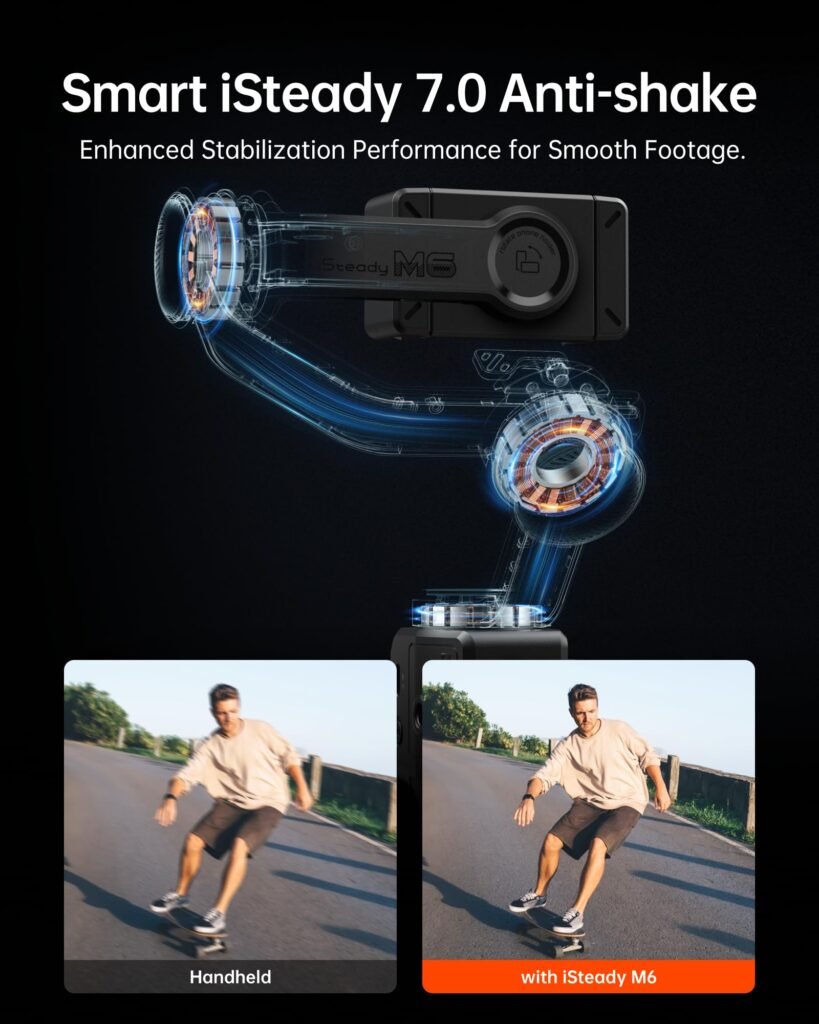
Its purpose is straightforward: compensate for unwanted movements so your phone footage appears smoother while walking, panning, or repositioning the camera.
A gimbal cannot magically make every shot cinematic. Your walking technique, camera settings, lens choice, lighting, and editing still matter. However, mechanical stabilization can significantly reduce the small rotational movements that make handheld footage look distracting.
Independent reviews have generally been positive about the M6’s stabilization performance. Digital Camera World, for example, reported that the gimbal handled a large iPhone 14 Pro Max smoothly during testing.
4. 0.91-Inch OLED Display
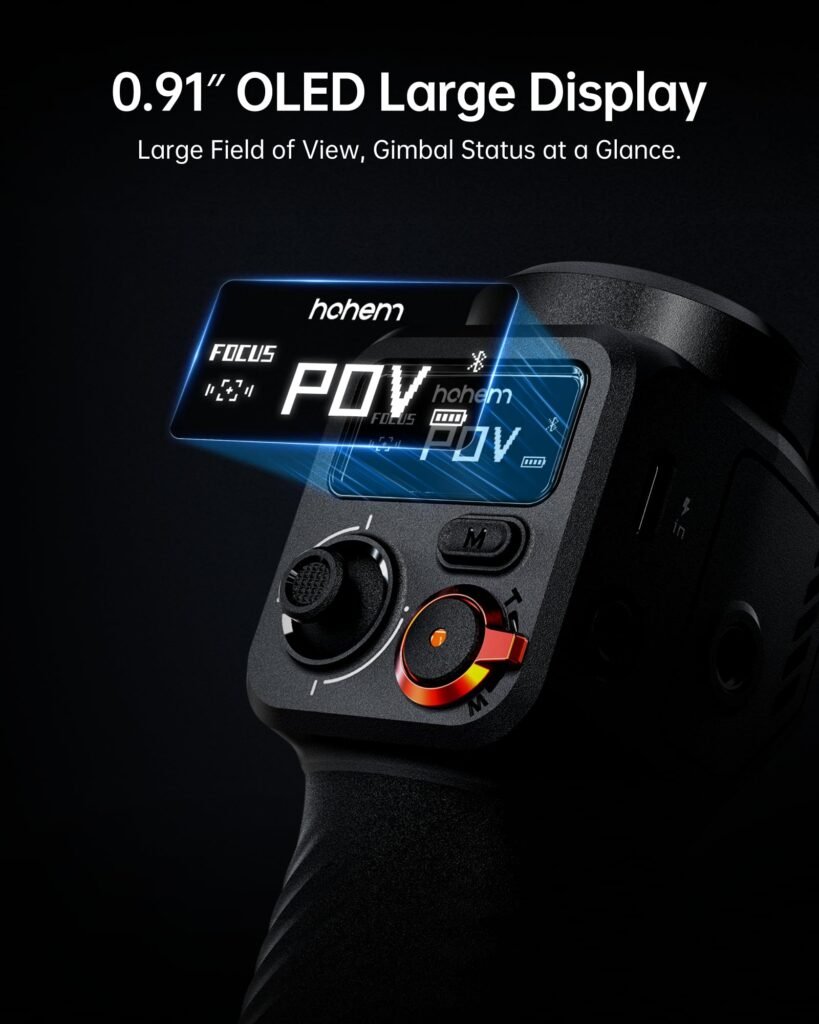
A small OLED screen might not sound exciting, but it is one of those features that can make a gimbal easier to use.
The M6’s 0.91-inch OLED display can show information such as:
- Gimbal mode
- Battery level
- Bluetooth status
- Operating status
- Other settings
Instead of opening your phone to check every setting, you can glance at the gimbal itself.
For creators who frequently change shooting modes, this is a useful convenience.
5. 400g Payload
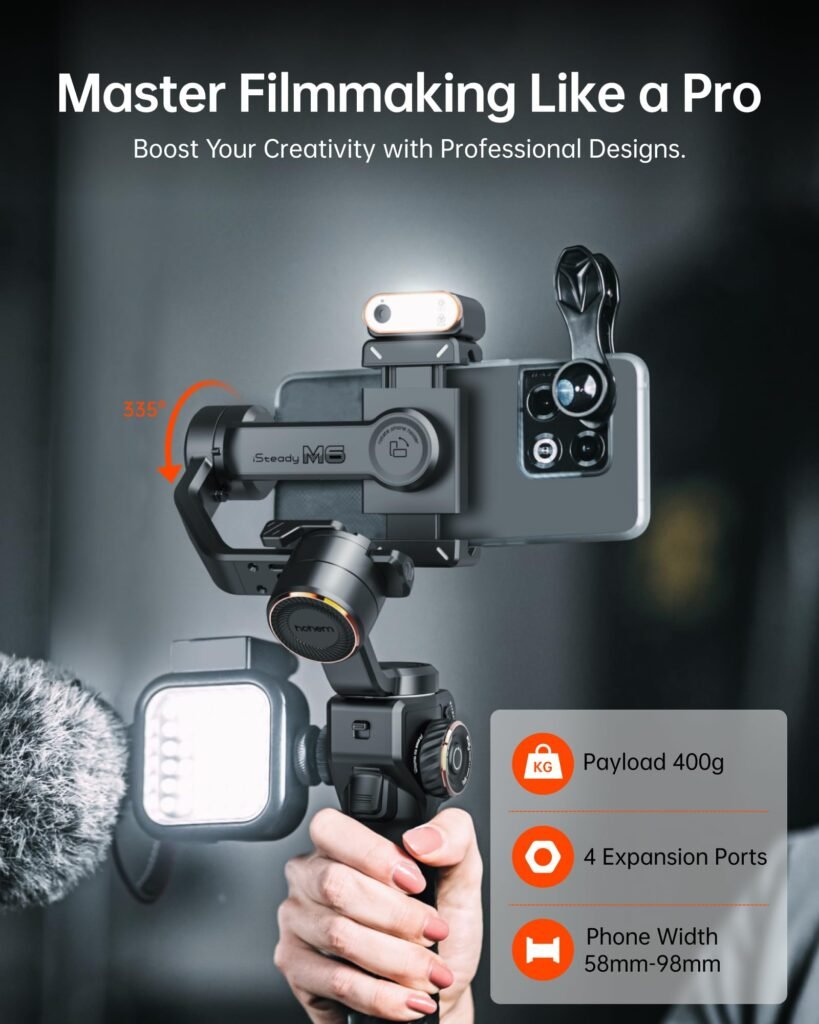
The M6 can support smartphones weighing up to 400g, with supported phone widths from 58mm to 98mm. Hohem also specifies a phone thickness range of 6.9mm to 11mm.
This gives the M6 room for many modern large-screen smartphones.
However, compatibility should not be judged by weight alone.
A phone may fit within the physical specifications but behave differently depending on its camera arrangement, case, balance, and accessories.
Buying tip: If you use a thick protective case, check the complete phone-plus-case dimensions before purchasing.
Design and Build Quality
The M6 uses high-performance composite materials rather than the more metal-heavy construction found on some premium gimbals.
Digital Camera World noted that the M6 feels more budget-oriented than Hohem’s more expensive iSteady MT2, which uses more metal components.
That does not necessarily mean the M6 feels cheap.
For a smartphone-only gimbal, using composite construction helps keep manufacturing costs and weight manageable. Still, at 551g before considering your phone and other accessories, this is not an ultra-light setup.
The relatively large body is partly justified by the M6’s powerful motors and 400g payload.
Handling
The M6 is built around a substantial grip with physical controls, including a joystick and multifunction buttons.
This is useful when you want manual control rather than relying entirely on the phone touchscreen.
The gimbal also includes multiple expansion points, allowing creators to add accessories such as microphones or lights. Hohem lists four 1/4″-20 UNC expansion ports.
That makes the M6 more flexible than a simple phone stabilizer.
Stabilization Performance
Stabilization is the primary reason to buy a gimbal.
If you only need a small amount of stabilization, modern smartphones already offer impressive electronic and optical stabilization. For example, Apple’s current iPhone models provide advanced stabilization features, while Google Pixel phones offer several software stabilization modes.
So why use a mechanical gimbal?
Because a gimbal can physically control the phone’s orientation.
This becomes particularly useful when:
- Walking slowly through a location
- Creating controlled pans
- Following a person
- Recording product demonstrations
- Performing cinematic camera movements
- Creating tracking shots
- Shooting yourself while moving
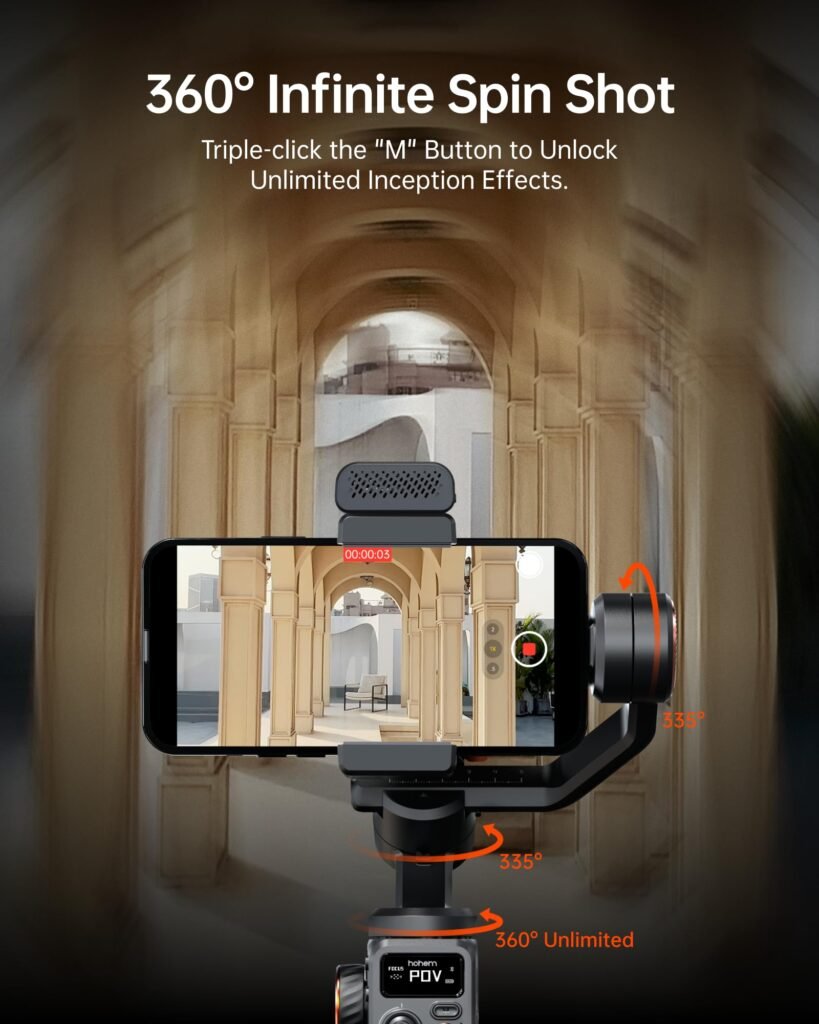
The M6 provides 360° infinite pan rotation, along with 335° tilt and 335° roll ranges.
These large movement ranges give creators considerable freedom.
Walking Videos
For walking footage, keep your elbows relatively close to your body and walk smoothly. The gimbal handles rotational shake, but it cannot completely eliminate the vertical bounce caused by your footsteps.
A “ninja walk”—taking controlled heel-to-toe steps—can make footage even smoother.
Cinematic Movement
The M6 also supports creative movement modes, including its 360° infinite spin or “Inception” effect.
According to Hohem, pressing the appropriate control three times activates the automatic 360° spin shot.
This can be useful for transitions and stylized shots, although it should be used sparingly.
AI Tracking Performance
AI tracking is where the M6 separates itself from a basic smartphone gimbal.
The magnetic sensor is designed to recognize a person or object and move the gimbal accordingly.
Hohem provides additional information about the M6’s AI tracking system, compatibility, and setup in its official iSteady M6 tutorial.
This is especially useful for solo creators.
Example: YouTube Creator
Place the M6 on its tripod, attach your smartphone, activate tracking, and stand several feet away.
You can then:
- Walk toward the camera
- Move sideways
- Demonstrate a product
- Talk to the audience
- Perform an exercise
- Teach a lesson
The gimbal attempts to keep you centered.
Hohem provides a recommended tracking distance of approximately 0.5–3.5 meters for certain tracking setup procedures.
Rear Camera Tracking
One of the better ideas behind the M6 is rear-camera tracking.
Rear smartphone cameras generally offer better image quality than many front cameras, particularly on flagship phones. The removable AI sensor allows creators to use the rear camera while still having an external tracking system.
That can be valuable when image quality matters.
Tracking Limitations
AI tracking is not magic.
It can lose a subject if the person moves too quickly, becomes obstructed, or leaves the sensor’s useful tracking area. Independent testing has also found that object tracking can be inconsistent in certain situations.
Therefore, professional creators should still monitor the frame when possible.
Expert Advice: AI tracking is most useful when it reduces the amount of manual camera operation you need. It should not be treated as a guarantee that every shot will remain perfectly framed.
Fill Light Performance
The built-in light is one of the most practical additions to the M6 Kit.
Smartphone cameras perform best when they receive enough light. Adding a small light near the camera can brighten faces and reduce harsh shadows.
The M6 supports both conventional color-temperature adjustment and RGB colors. Hohem lists a CCT range from 2700K to 6500K.
When the Fill Light Helps Most
The light is particularly useful for:
- Indoor talking-head videos
- Product close-ups
- Nighttime vlogging
- Restaurant videos
- Small-room filming
- Makeup tutorials
- Desk videos
- Short-form social content
Where It Falls Short
A tiny integrated light has physical limitations.
It cannot replace a large softbox or dedicated LED panel when you are filming in a large room or extremely dark environment.
One independent reviewer found the M6’s light helpful but relatively weak in a pitch-dark environment.
So think of it as a portable fill light, not your primary studio light.
Battery Life and Charging
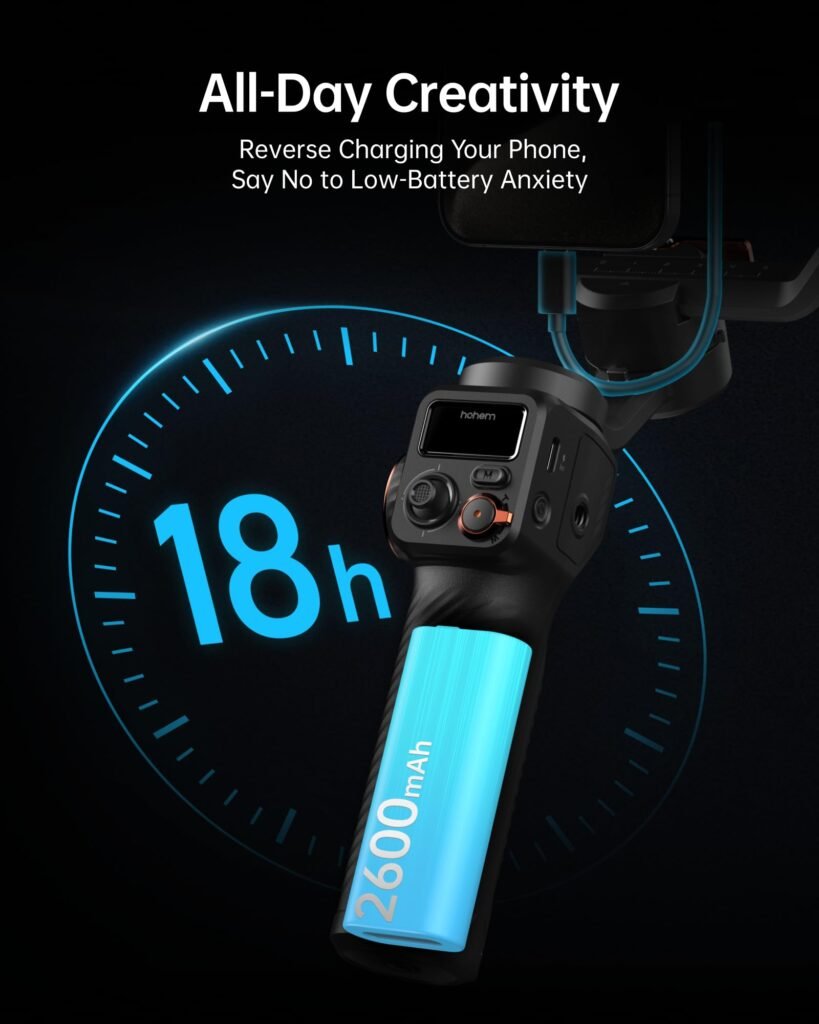
Hohem rates the M6’s 2600mAh battery for up to 18 hours under ideal conditions with the gimbal properly balanced.
However, Hohem also states that battery life can fall to approximately 6–8 hours when AI tracking and the fill light are used at maximum brightness. Charging takes approximately three hours using 5V/2A charging.
That is a meaningful difference.
Real-World Battery Expectations
| Usage | Expected Result |
|---|---|
| Gimbal only, ideal conditions | Up to 18 hours |
| AI tracking + fill light | Approximately 6–8 hours |
| Heavy continuous filming | Lower practical runtime possible |
| Charging | Approximately 3 hours |
Battery performance will vary with usage, temperature, phone balance, motor load, and accessory use.
The M6 also supports reverse charging, which can be useful if your smartphone battery becomes low during a shoot.
Buying Tip: If you plan to film all day while traveling, carry a USB-C power bank even though the M6 has a large battery.
Hohem Joy App
The Hohem Joy app provides additional controls and shooting functions.
Hohem lists Hohem Joy as the companion app for the M6, while the AI Vision Sensor can also operate without app or Bluetooth dependence for its tracking functionality.
This gives the M6 two different approaches.
Simple approach: Use the phone’s native camera or another compatible app and rely on the AI sensor.
Advanced approach: Connect to Hohem Joy for additional gimbal-related functions and creative shooting features.
This flexibility is useful because creators do not always want to change their preferred camera application.
However, app features can vary by platform.
One published test specifically noted that the Android app had some limitations compared with the broader feature set.
Should You Use the App?
Use Hohem Joy when you want access to its additional controls and templates.
Use your normal camera app when you simply want the gimbal’s mechanical stabilization and AI tracking without changing your established workflow.
iPhone Compatibility
The M6 is designed for smartphones rather than dedicated cameras.
It supports phones between 58mm and 98mm wide and up to 400g, according to Hohem’s compatibility specifications.
This means many iPhones can fit, including larger models, provided the complete setup stays within the specified dimensions and weight.
The gimbal can also complement the stabilization already built into modern iPhones.
For example, Apple’s iPhone 16 specifications include optical image stabilization and Action mode on supported models.
The important point is that a gimbal and smartphone stabilization are not necessarily competitors.
They can work together.
The phone handles its internal image stabilization while the gimbal controls larger physical movements and camera orientation.
Android Compatibility
The M6 also supports a broad range of Android smartphones, provided they meet the physical requirements.
Hohem’s official compatibility guidance specifies 58–98mm phone width and a maximum phone weight of 400g.
However, Android devices differ substantially in hardware and camera software.
That means you should not assume every Android phone will provide exactly the same experience.
Before purchasing, check:
- Your phone’s width.
- Your phone’s weight.
- Your phone case dimensions.
- Whether your preferred camera app supports the functions you need.
- Hohem’s current compatibility information.
Google Pixel phones, for example, already offer built-in stabilization options in their native camera software.
The M6 can still add mechanical stabilization and tracking, but the value depends on what your phone already provides.
Specifications
| Specification | Hohem iSteady M6 |
|---|---|
| Gimbal weight | 551g |
| Payload | Up to 400g |
| Phone width | 58–98mm |
| Phone thickness | 6.9–11mm |
| Battery capacity | 2600mAh |
| Battery energy | 19.24Wh |
| Pan | 360° infinite |
| Tilt | 335° |
| Roll | 335° |
| Display | 0.91-inch OLED |
| Bluetooth | Bluetooth 5.1 |
| Charging port | USB-C |
| App | Hohem Joy |
| Operating temperature | -10°C to 45°C |
| AI sensor weight | 23.8g |
Source: Source: For the latest specifications and compatibility information, see the official Hohem iSteady M6 specifications.
Pros and Cons
Pros
- Excellent feature set for a smartphone-only gimbal.
- Magnetic AI tracking can work without relying on the phone app.
- Rear-camera tracking makes higher-quality solo filming more practical.
- Integrated CCT/RGB fill light is convenient.
- 0.91-inch OLED display makes settings easier to monitor.
- 400g payload supports many large smartphones.
- 360° infinite pan rotation enables creative shots.
- 335° tilt and roll ranges provide substantial movement freedom.
- Long advertised battery life under ideal conditions.
- Reverse charging can provide emergency phone power.
- Multiple expansion ports support accessories.
Cons
- 551g is relatively heavy for a smartphone gimbal.
- AI tracking can lose subjects in challenging conditions.
- The built-in light cannot replace a dedicated video light.
- Some advanced functions depend on phone/app compatibility.
- Android app functionality may not be identical across devices.
- There is a learning curve for new gimbal users.
- The M6 is overkill if you only need basic handheld stabilization.
Hohem iSteady M6 vs. a Basic Smartphone Gimbal
| Feature | Basic Smartphone Gimbal | Hohem iSteady M6 Kit |
|---|---|---|
| 3-axis stabilization | Usually | Yes |
| AI tracking | Sometimes | Yes |
| Magnetic tracker | Rare | Yes |
| Built-in fill light | Sometimes | Yes |
| RGB lighting | Rare | Yes |
| OLED display | Uncommon | Yes |
| Rear-camera AI tracking | Limited | Yes |
| 400g payload | Varies | Yes |
| Creative movement modes | Varies | Yes |
| Accessory expansion | Usually limited | Multiple ports |
| Solo filming | Good | Excellent |
The biggest difference is not simply stabilization.
It is the combination of stabilization, tracking, lighting, controls, and accessory expansion.
Who Should Buy the Hohem iSteady M6 Kit?
The M6 makes the most sense for creators who want more than a basic phone holder.
If you’re also interested in smart home technology, you can check out our Amazon Echo Dot 5th Gen review to see whether Amazon’s compact smart speaker is worth buying.https://armanadilllc.online/amazon-echo-dot-5th-gen-review/
Buy It If You:
Create YouTube videos alone.
AI tracking can reduce the need for another person to operate the camera.
Make TikTok or Instagram Reels.
The gimbal can help produce smoother movement and more polished short-form videos.
Film product demonstrations.
Tracking can keep a presenter or product in frame while the creator moves.
Travel frequently.
A smartphone plus M6 can create a relatively capable mobile filming setup without carrying a traditional camera and gimbal.
Want rear-camera tracking.
This is one of the M6’s most useful advantages for solo creators.
Need a small integrated light.
The magnetic fill light can be useful when you do not want to carry a separate light.
Who Should Avoid It?
The M6 may not be the best choice for everyone.
Avoid It If:
You only shoot casual videos.
If you rarely record video, your phone’s built-in stabilization may already be sufficient.
You prioritize minimum weight.
At 551g before adding your phone, the M6 is not particularly lightweight.
You already own a professional lighting setup.
The integrated light may provide little additional value.
You need a camera gimbal for mirrorless cameras.
The M6 is designed for smartphones and has a 400g payload, so it is not a substitute for a larger camera gimbal.
You dislike learning mechanical camera equipment.
A gimbal has more controls and settings than simply holding a smartphone.
Expert Tips for Better M6 Footage
Balance Your Phone Correctly
Always mount your smartphone securely and balance it before shooting.
A properly balanced phone reduces unnecessary motor strain and can help the gimbal operate more efficiently.
Use the Right Tracking Distance
Do not stand too close or excessively far away from the AI sensor.
Hohem’s tutorial provides a 0.5–3.5m range for a particular tracking customization process.
Use the Fill Light as a Fill Light
Do not point it at maximum brightness all the time.
A softer amount of light can look more natural and avoid creating harsh facial highlights.
Keep Your Movements Predictable
AI tracking performs better when the subject remains reasonably visible.
Avoid suddenly running behind obstacles or moving out of the sensor’s useful field.
Record at the Right Frame Rate
Higher frame rates can produce smoother motion but also require more storage and light.
Choose your recording settings according to your phone, lighting, and final platform.
Use a Separate Microphone When Audio Matters
The M6 can improve camera movement, but it does not automatically make your audio professional.
For YouTube or educational content, a good external microphone may produce a bigger perceived improvement than another camera accessory.
Is the Hohem iSteady M6 Good for Vlogging?
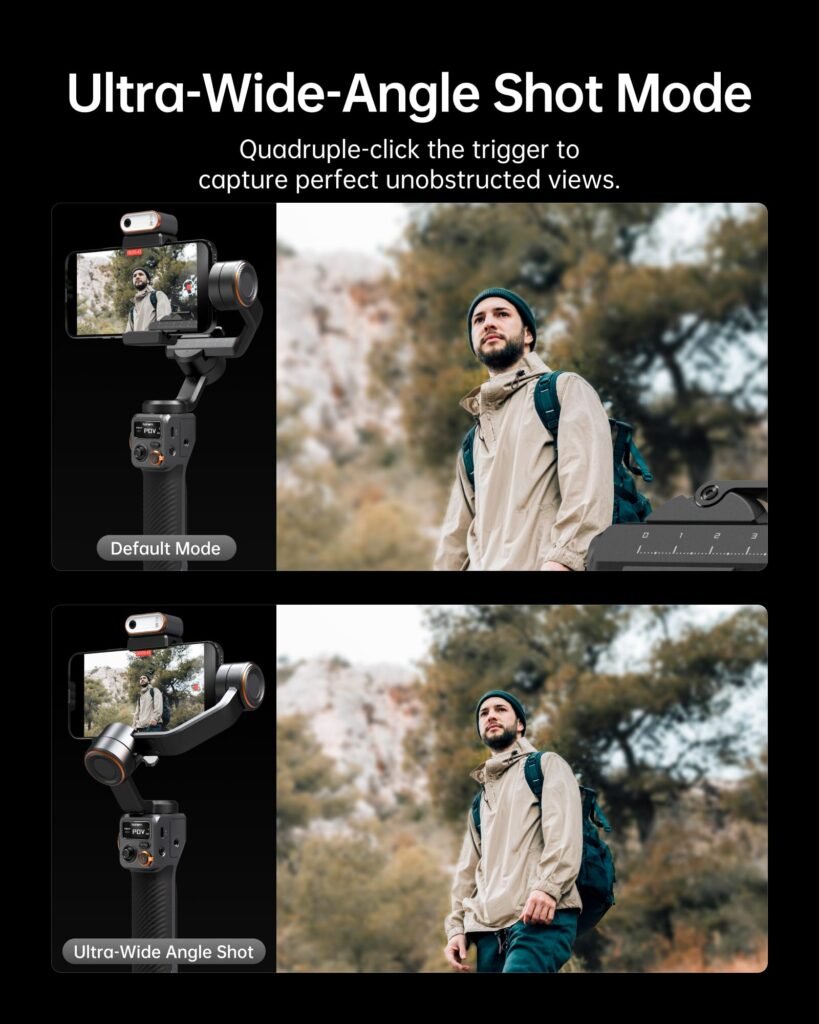
Yes—especially for solo vlogging.
Its biggest advantage is that it combines several pieces of equipment into one setup.
Instead of carrying:
- A separate smartphone stabilizer
- A tracking device
- A small RGB light
- A tripod
- A basic camera control system
the M6 can cover much of that functionality.
The included kit also comes with a carrying case and charging cable, according to Hohem’s store listing.
For travel creators, that convenience can be more important than having the absolute lightest gimbal.
Is the Hohem iSteady M6 Good for TikTok and Reels?
It can be an excellent fit for short-form creators.
TikTok and Instagram Reels reward visually engaging movement, quick transitions, product demonstrations, and talking-head content.
The M6’s AI tracking can help creators film themselves without a camera operator, while its 360° spin mode and wide mechanical movement range offer additional creative options.
The biggest advantage is workflow.
Set the phone up once, activate tracking, and focus more on your performance rather than constantly adjusting the camera.
Is the Hohem iSteady M6 Worth It?
The answer depends on what you expect from a smartphone gimbal.
If you want only basic stabilization, the M6 may provide more features than you need.
Modern smartphones already offer impressive stabilization. Apple and Google both provide advanced software and hardware-based stabilization features on supported phones.
But if you are a serious mobile creator, the equation changes.
The M6 combines:
- 3-axis stabilization
- AI tracking
- Rear-camera tracking
- Fill lighting
- RGB lighting
- OLED status display
- Large payload capacity
- Multiple shooting modes
- Accessory expansion
- Long battery life
- Reverse charging
That is a substantial package.
Its main weakness is that it is not small or feather-light. At 551g, it is better suited to creators who value functionality over minimal carry weight.
Final Rating
| Category | Rating |
|---|---|
| Stabilization | 9/10 |
| AI Tracking | 9/10 |
| Fill Light | 8/10 |
| Controls | 9/10 |
| Display | 9/10 |
| Battery | 9/10 |
| Portability | 7/10 |
| Ease of Use | 8/10 |
| App/Compatibility | 8/10 |
| Value | 9/10 |
| Overall | 8.7/10 |
Final Verdict
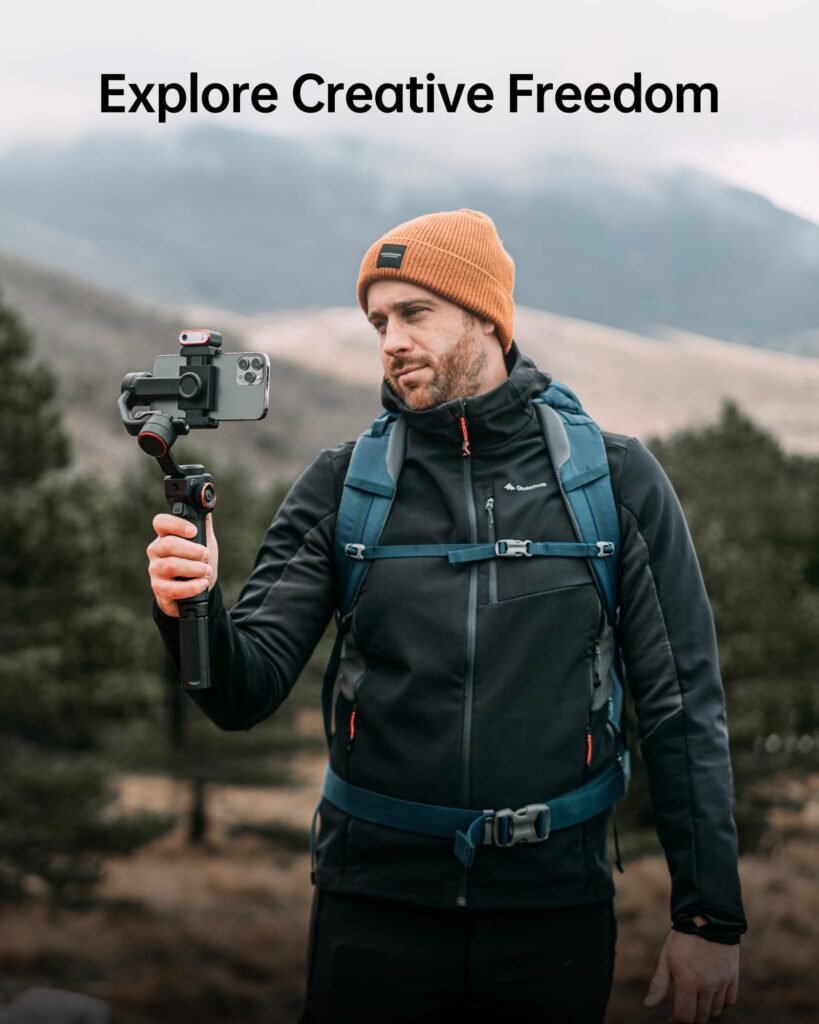
The Hohem iSteady M6 Kit Smartphone Gimbal is a strong choice for smartphone creators who want to move beyond ordinary handheld video.
Its biggest strength is not one individual feature. It is the combination of mechanical stabilization, magnetic AI tracking, rear-camera tracking, integrated lighting, OLED controls, and accessory support.
The AI Vision Sensor is particularly valuable for solo creators. Being able to place the phone on a tripod, activate tracking, and record yourself without constantly touching the phone can dramatically simplify the filming process. Hohem also designed the tracking system to work across different mobile camera apps, reducing dependence on a single camera application.
The fill light is another practical addition. It will not replace a studio light, but having adjustable CCT and RGB illumination built into the tracking module means you have a useful light available whenever you need it.
The biggest drawback is weight.
At 551g before adding your smartphone, the M6 is better considered a portable filmmaking tool than a tiny everyday phone accessory.
For casual users, a smaller and simpler gimbal may make more sense.
For YouTubers, TikTok creators, vloggers, educators, product reviewers, and solo filmmakers, however, the M6’s feature set makes it considerably more interesting.
Overall, the Hohem iSteady M6 Kit earns an estimated 8.7/10 and is best suited to creators who prioritize AI tracking and filmmaking flexibility over ultra-light portability.
FAQ
Is the Hohem iSteady M6 compatible with iPhone?
Yes. The M6 is designed for smartphones and supports phones between 58mm and 98mm wide, with a maximum supported phone weight of 400g. You should also account for the dimensions and weight of your phone case when checking compatibility.
Does the Hohem iSteady M6 work with Android phones?
Yes. The M6 supports compatible Android smartphones within its physical specifications. However, Android camera and app functionality can vary between devices, so checking your specific phone against Hohem’s compatibility information is recommended before purchasing.
Does the Hohem M6 AI tracker require an app?
No, the magnetic AI Vision Sensor can provide AI tracking without requiring the Hohem Joy app or Bluetooth connection. This allows the tracking function to work with the phone’s native camera and other supported mobile applications.
Can the Hohem iSteady M6 track using the rear camera?
Yes. The removable AI Vision Sensor is designed to allow rear-camera tracking. This can be useful because the rear cameras on many smartphones offer stronger image quality than front-facing cameras.
How long does the Hohem iSteady M6 battery last?
Hohem rates the M6 for up to 18 hours under ideal conditions when properly balanced. However, when AI tracking and the fill light are used at maximum brightness, the company specifies approximately 6–8 hours. Actual results vary according to operating conditions and usage.
Does the Hohem M6 have a built-in light?
Yes. The M6 Kit includes a magnetic AI Vision Sensor with an integrated CCT/RGB fill light. Hohem specifies adjustable color temperatures from 2700K to 6500K and RGB lighting with 360 colors.
Is the Hohem iSteady M6 good for YouTube?
Yes, especially for creators who film themselves without a camera operator. Its AI tracking, tripod support, stabilization, accessory mounting, and rear-camera tracking make it well suited to solo YouTube production.
Is the Hohem iSteady M6 good for TikTok?
Yes. The M6 can help TikTok creators produce smoother movement, hands-free talking videos, demonstrations, and creative tracking shots. Its ability to work with mobile apps without always depending on the dedicated app is particularly useful for social-media workflows.
Is the Hohem M6 better than using phone stabilization alone?
It depends on your needs. Modern phones already provide excellent stabilization, but the M6 adds physical 3-axis stabilization, motorized camera movement, AI tracking, and additional shooting controls. For casual handheld videos, a gimbal may be unnecessary. For moving or solo-filming situations, it can provide significant benefits.
Is the Hohem iSteady M6 lightweight?
Not particularly. The gimbal itself weighs approximately 551g. Once a smartphone and accessories are added, the complete setup becomes substantially heavier.
Can the Hohem M6 charge a phone?
Yes. The M6 supports reverse charging, allowing it to provide power to a smartphone when needed. This can be useful during longer filming sessions or travel.
Key Takeaways
- The M6 is a 3-axis smartphone gimbal built for mobile creators.
- Its magnetic AI Vision Sensor is the standout feature.
- AI tracking can work without the Hohem Joy app or Bluetooth.
- Rear-camera tracking makes solo filming more practical.
- The integrated CCT/RGB light is useful for close-range lighting.
- The 0.91-inch OLED display makes status monitoring easier.
- The maximum payload is 400g.
- Battery life is rated up to 18 hours under ideal conditions.
- Heavy AI tracking and lighting use can reduce runtime to approximately 6–8 hours.
- The 551g gimbal is relatively heavy.
- It is best suited to serious smartphone creators rather than occasional users.
Buying Tips
Before buying the Hohem iSteady M6 Kit, check:
- Phone dimensions: Confirm your phone is between 58mm and 98mm wide.
- Phone weight: Stay below the 400g maximum payload.
- Case thickness: Check your phone with its case installed.
- App requirements: Make sure the features you need are supported on your device.
- Weight: Remember that 551g is the gimbal alone.
- Lighting expectations: Treat the built-in light as a fill light rather than a studio replacement.
- Use case: The M6 provides the most value for creators who actually need AI tracking and advanced movement.